CONDÉ NAST AFFILIATE LINKS MANAGEMENT TOOL
⟡⟡⟡⟡⟡
Condé Nast Studios produces award-winning film and television in all genres for the world's most culture-defining brands, including The New Yorker, Vanity Fair, Vogue, WIRED, GQ, Architectural Digest, Bon Appétit, Glamour, Condé Nast Traveler, and more. As the world started to pivot to video, CNE needed an improved way to track and manage upcoming video content. They needed a way to organize team goals, take care of task management, track the progress a project is making, and analyzing project cost and success through data and analytics.
Although there are a lot of products that solve these problems, the majority of them are solving for predefined, rigid workflows. It’s easy to create a tool for a workflow that rarely changes and always follows the same defined steps. But for creative teams that produce a variety of content, the workflow isn’t always the same. Publishing a photo gallery to an article will require different steps then producing a video for social media, and those teams shouldn’t be forced to adapt to the same workflow in order to use the same tool. So how can creative content makers align themselves with other teams, without having to drastically change the way they work?
My team worked on creating a completely custom, in house solution for CNE video management. This included creating a dashboard with at a glance analytics, alternative views for calendars and timelines, spreadsheet with pivot table capabilities, project detail pages, and more.
CLIENT: CONDÉ NAST DIGITAL
AGENCY: CONDÉ NAST
TASK: UX, UI
DATE OF WORK: 2018
CLIENT: CONDÉ NAST DIGITAL
AGENCY: CONDÉ NAST
TASK: UX, UI
DATE OF WORK: 2018
LIST VIEW
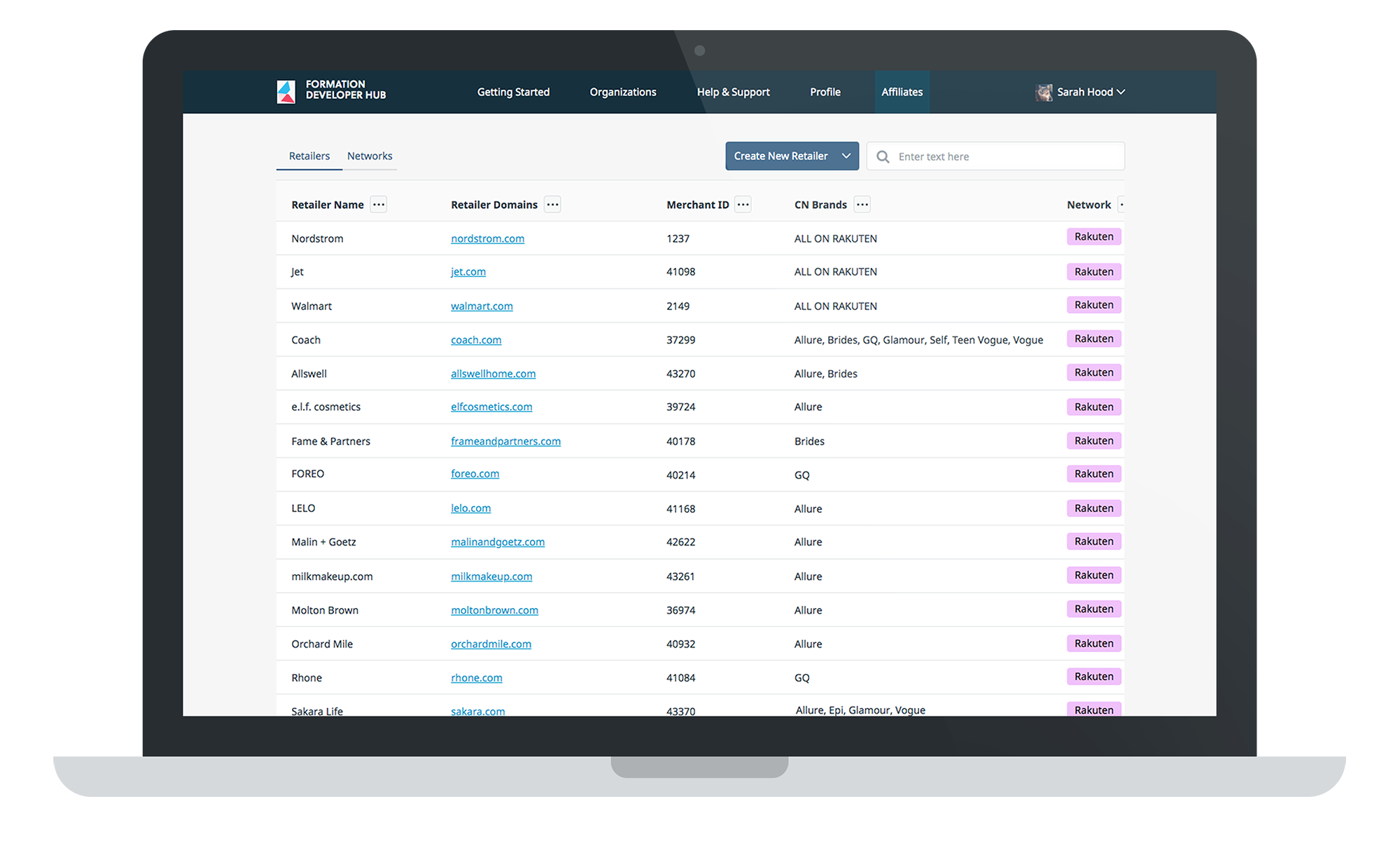
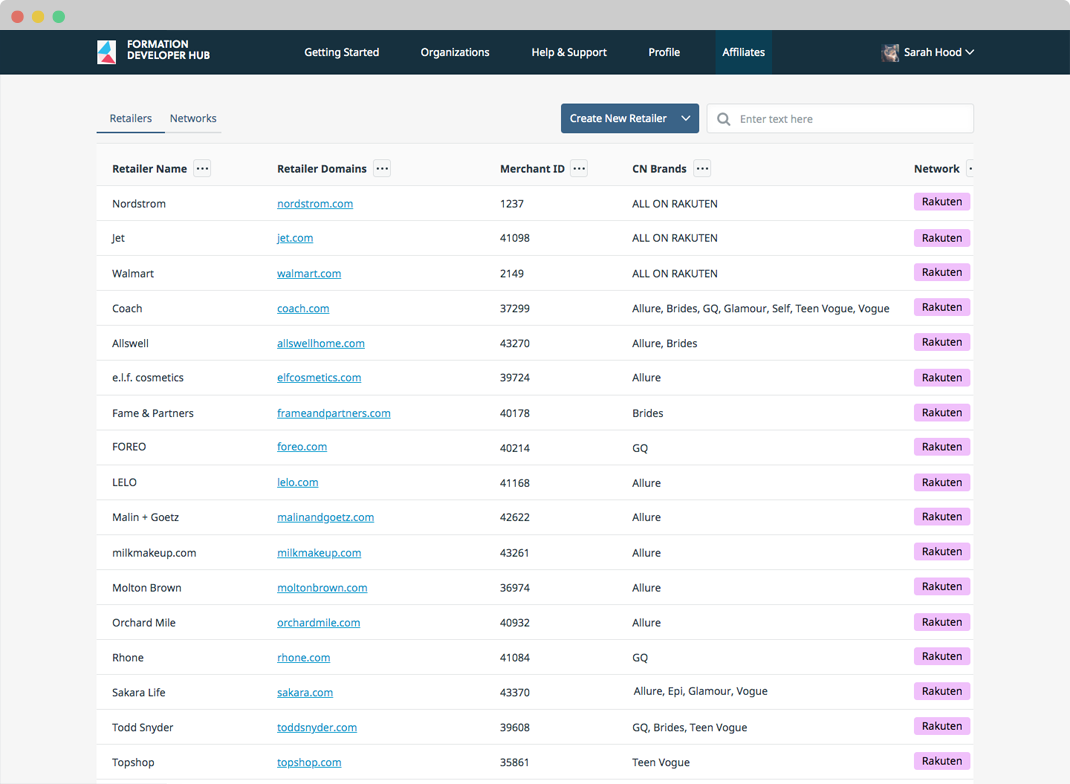
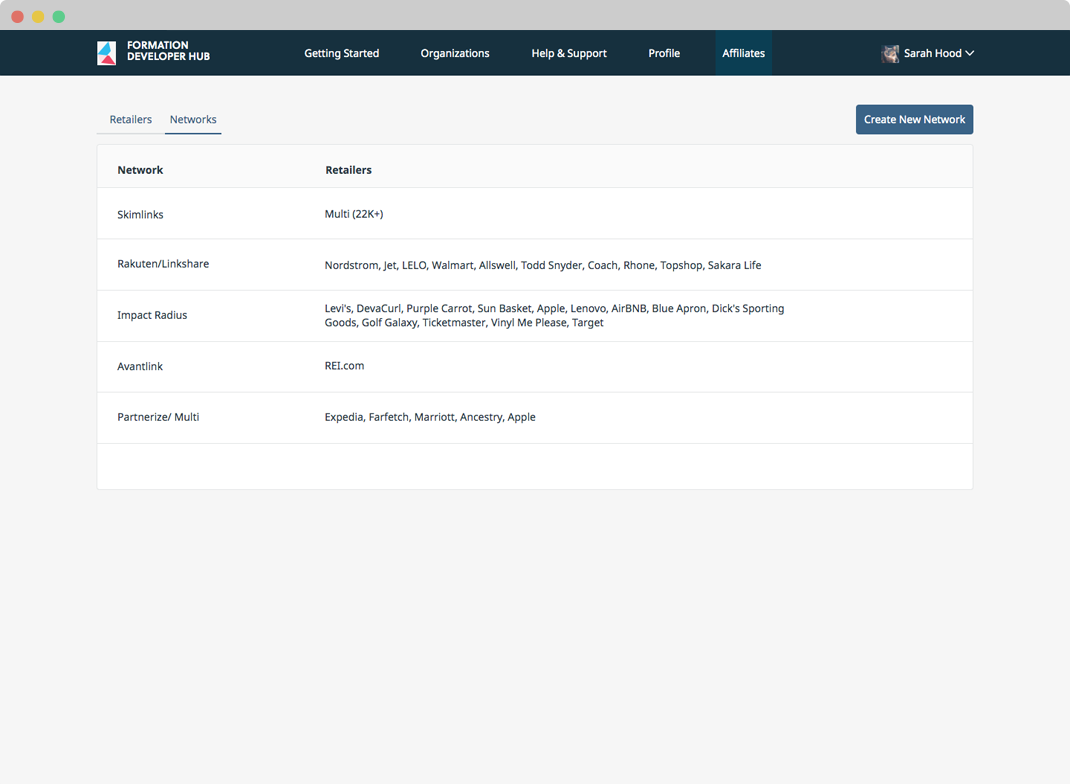
The commerce manager now has a single source of truth where they can navigate to every Network and Retailer in an easily readable list view. This new list view allows them to search, sort, and filter for exactly what they’re looking for vs managing each network individually via the networks own site on a per brand basis. The user can immediately see the current rate and status of each item, providing valuable context when deciding which network to link from.

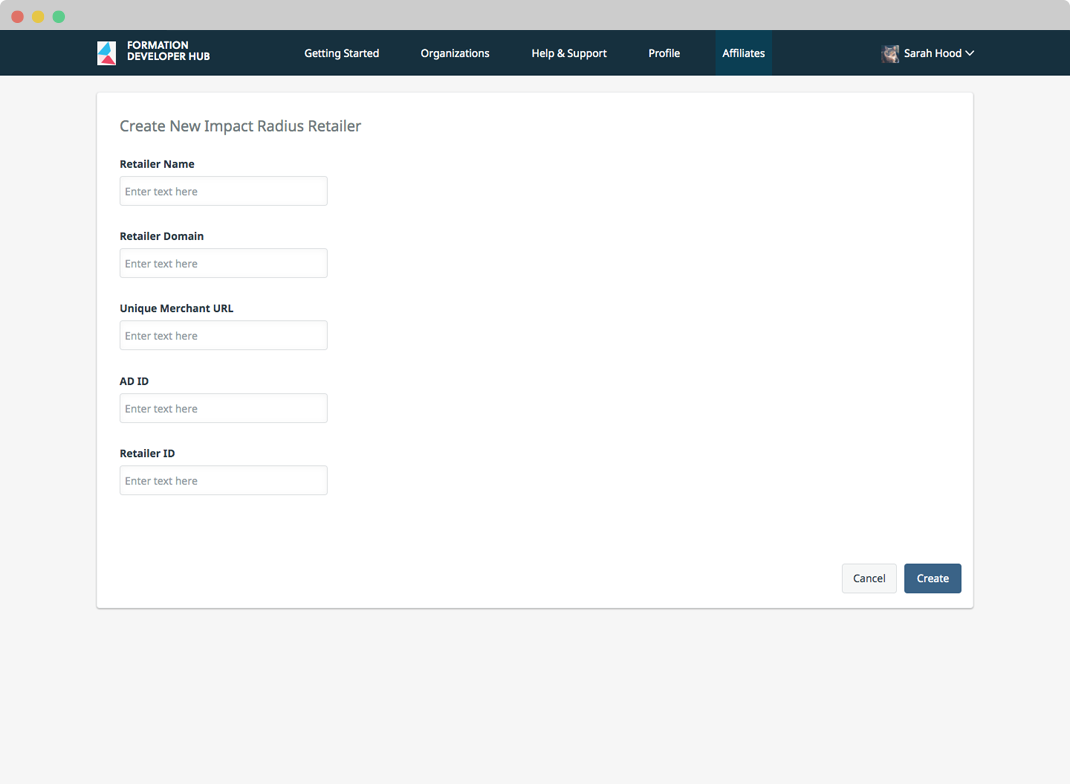
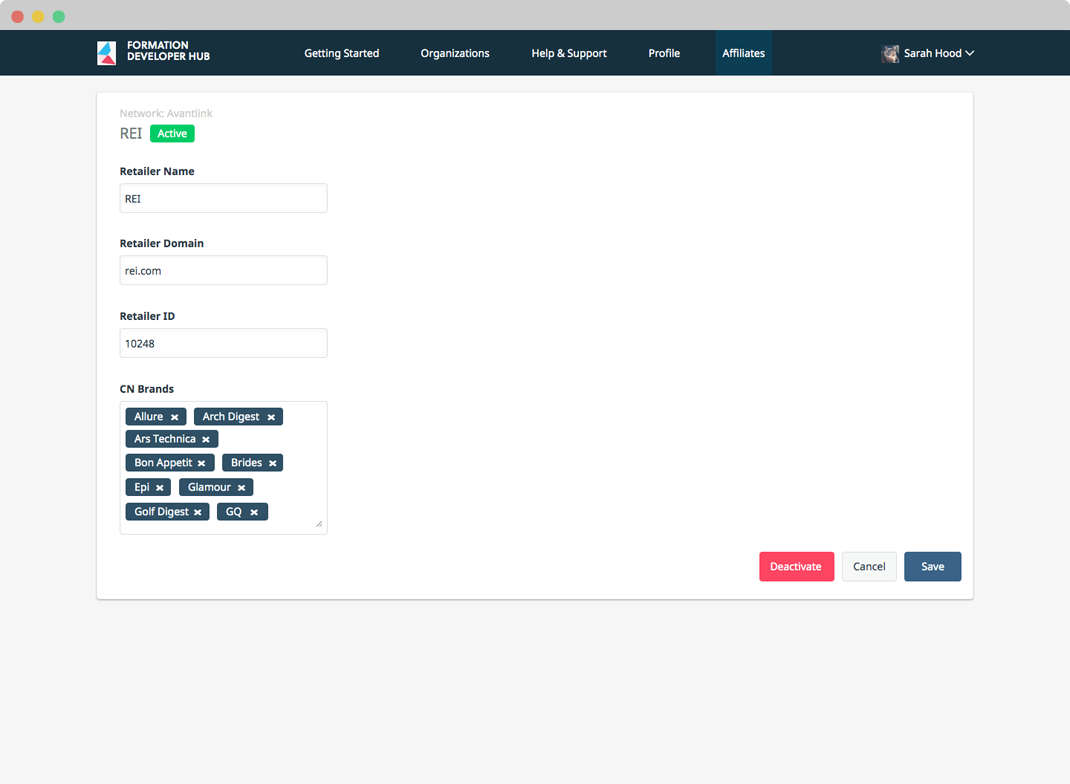
CRUD SCREENS
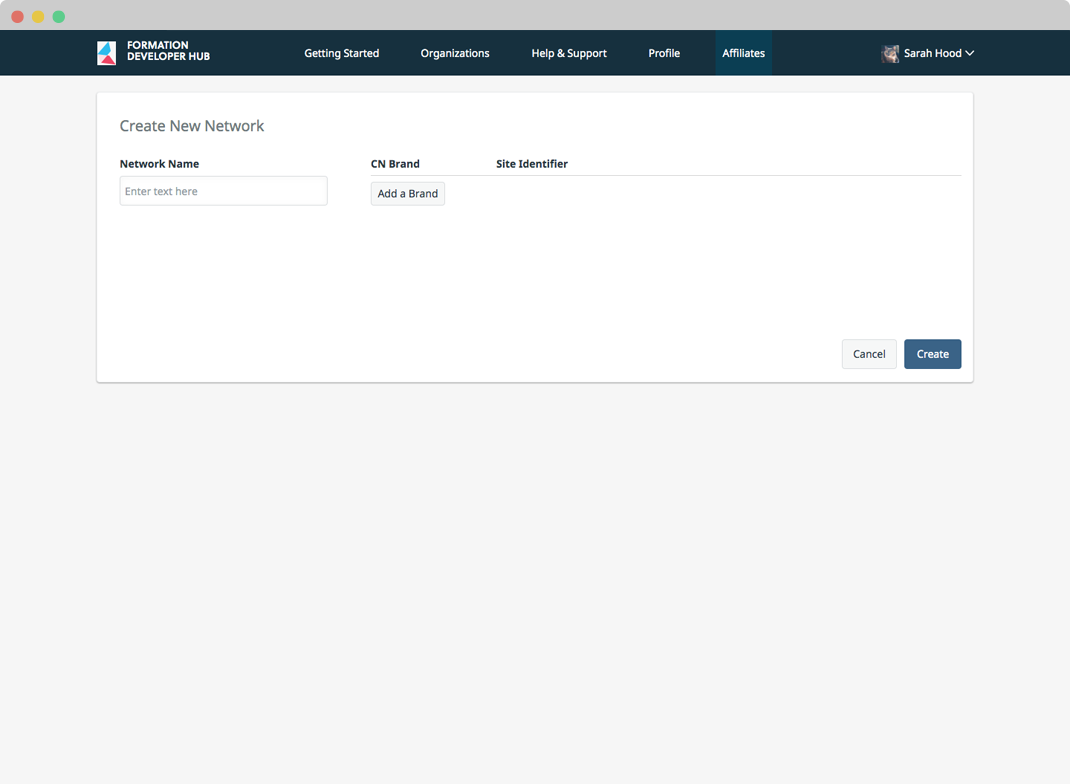
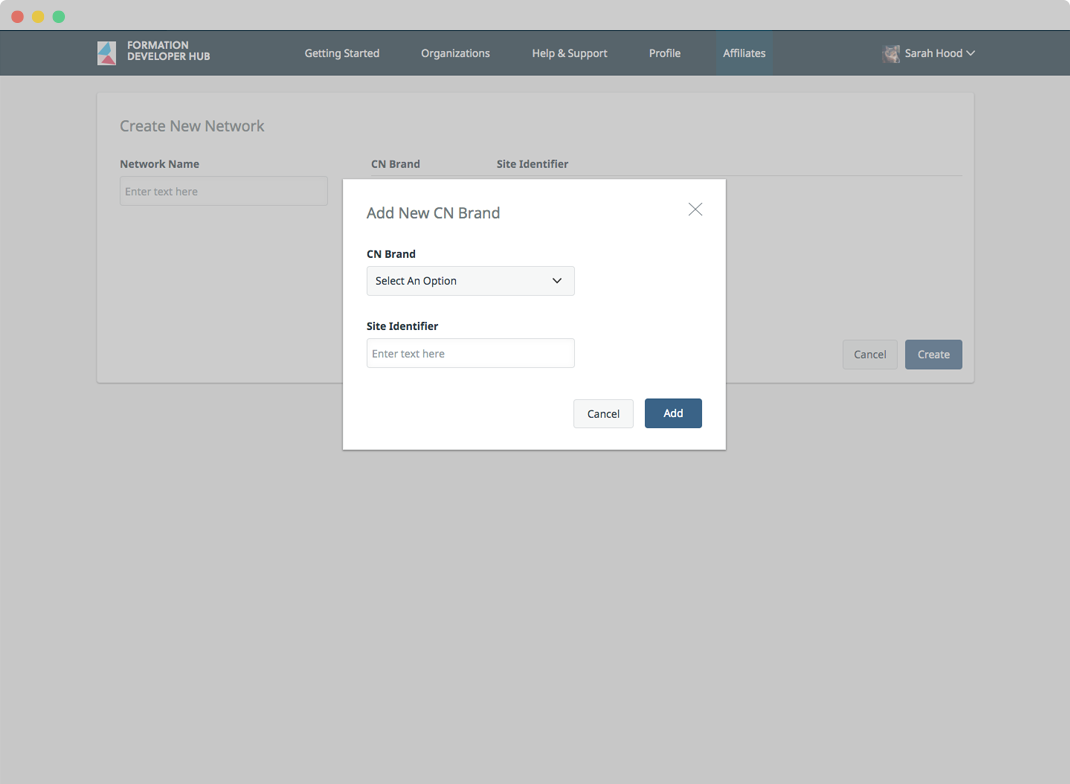
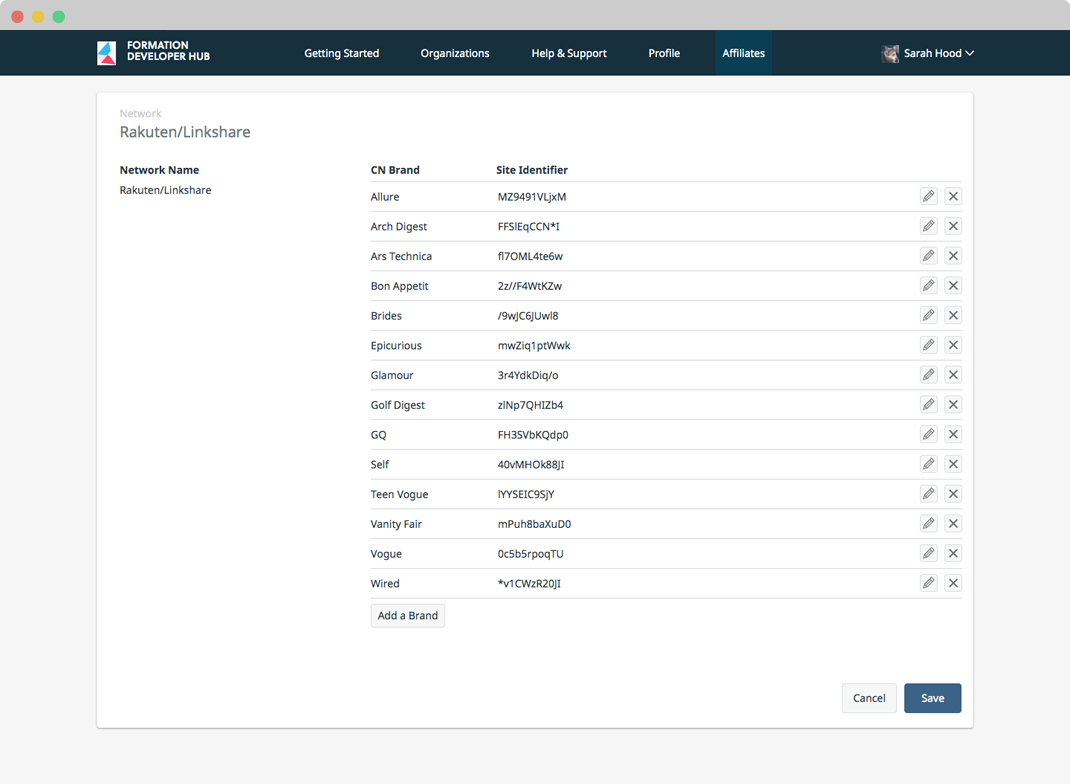
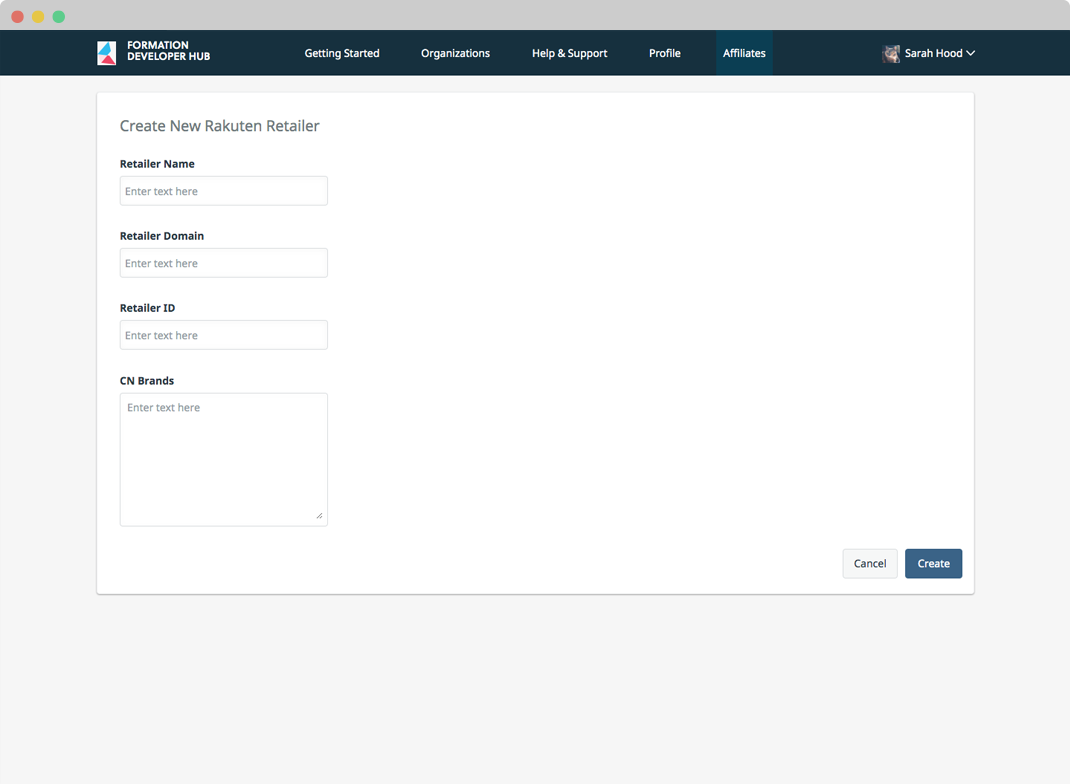
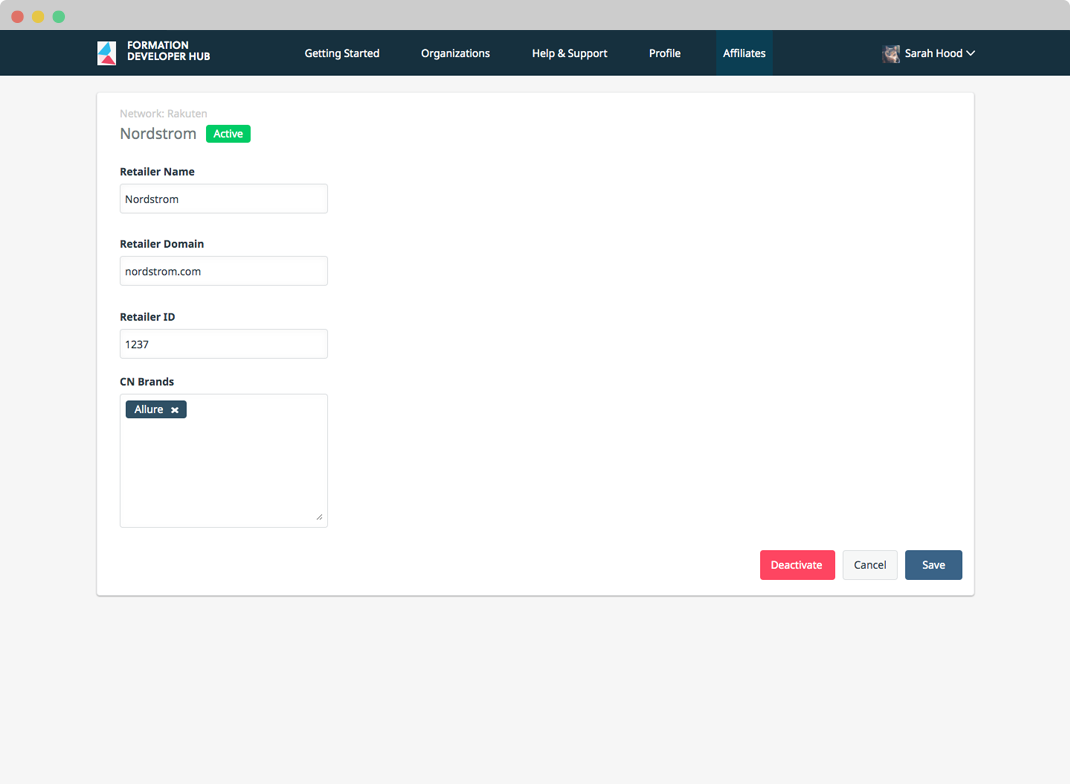
Now that all Networks live in a central location, the user can easily create, read, edit, or disable a new Retailer from each Network type. The ability to read and manage a retailers information in a single location is vital when a networks percentage offer or terms of agreement changes. Now a user can immediately review and update a detail page without having to manually update every link its referenced it within the editorial CMS.
UNIFYING LINK REQUIREMENTS
It’s never an easy task combining the requirements from multiple sources, there will always be instances where fields, requirements, and labels vary. But in order to have a true single source of truth we had to analyze each network type to find a common ground. By consolidating field types and naming conventions, the user has a clear journey when working with affiliate links.
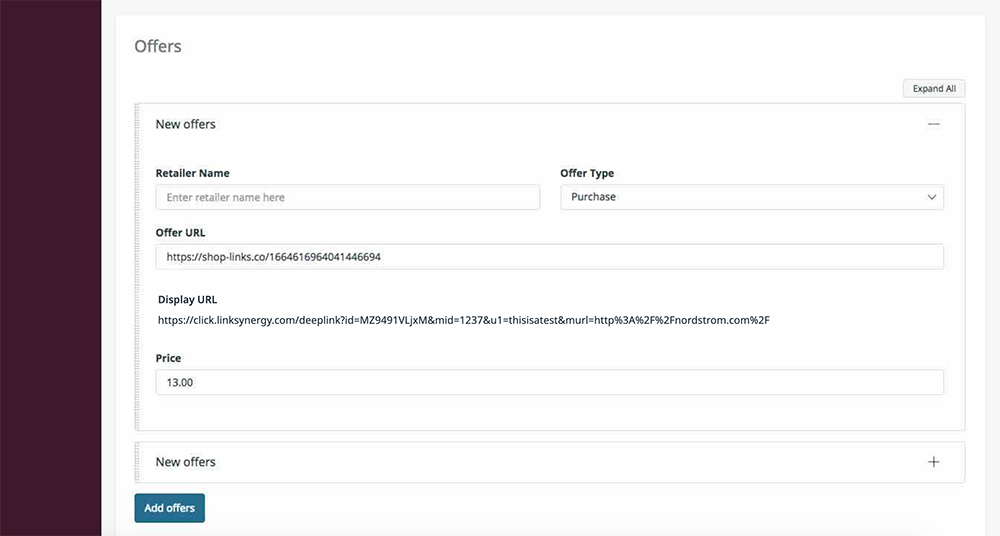
HANDS OFF EDITORIAL WORK
By managing these relationships in the back end, we’ve now allowed the editor to focus on what’s most important– the content. Instead of needing to modify and update products in the CMS every time a Network or Retailer relationship changes, they can simply enter the original link to the product and the back end with do the rest. Our system scans product links, and assigns the ones within our current relationships with the Network offering the highest percentage. When reviewing a product, the editor can easily see the URL they use as well as the display URL thats currently being served.