CONDÉ NAST WORKFLOW MANAGEMENT APPLICATION
⟡⟡⟡⟡⟡
Condé Nast Studios produces award-winning film and television in all genres for the world's most culture-defining brands, including The New Yorker, Vanity Fair, Vogue, WIRED, GQ, Architectural Digest, Bon Appétit, Glamour, Condé Nast Traveler, and more. As the world started to pivot to video, CNE needed an improved way to track and manage upcoming video content. They needed a way to organize team goals, take care of task management, track the progress a project is making, and analyzing project cost and success through data and analytics.
Although there are a lot of products that solve these problems, the majority of them are solving for predefined, rigid workflows. It’s easy to create a tool for a workflow that rarely changes and always follows the same defined steps. But for creative teams that produce a variety of content, the workflow isn’t always the same. Publishing a photo gallery to an article will require different steps then producing a video for social media, and those teams shouldn’t be forced to adapt to the same workflow in order to use the same tool. So how can creative content makers align themselves with other teams, without having to drastically change the way they work?
My team worked on creating a completely custom, in house solution for CNE video management. This included creating a dashboard with at a glance analytics, alternative views for calendars and timelines, spreadsheet with pivot table capabilities, project detail pages, and more.
CLIENT: CONDÉ NAST ENTERTAINMENT
AGENCY: CONDÉ NAST
TASK: UX
DATE OF WORK: 2019
CLIENT: CONDÉ NAST ENTERTAINMENT
AGENCY: CONDÉ NAST
TASK: UX
DATE OF WORK: 2019
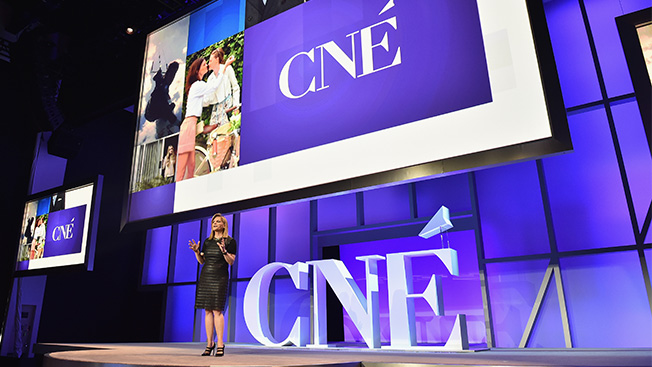
CONDÉ NAST ENTERTAINMENT IS AN AWARD-WINNING NEXT GENERATION PRODUCTION AND DISTRIBUTION STUDIO.
With such a wide breadth of video content reaching every corner of the digital universe, each of CNE’s teams are continually expanding and evolving their process to keep up with the demand for video.
But with such a variety of complex problems involving finance, booking, scheduling, production, and more, it’s been difficult for CNE to find a workflow management tool that not only works for a single team, but for everyone. If CNE can’t find a tool to help them manage their workflows, how are they expected to scale at the capacity demanded?
BECAUSE CNE HASN'T FOUND A WORKFLOW APPLICATION THAT WORKS FOR THEM, A FEW MAJOR PROBLEMS HAVE COME UP:
Too Many Tools - Each team uses multiple tools which requires them to maintain, update, and pay for multiple tool sets to get their jobs done.
Lack of Transparency - Because each team uses their own tool, there is no transparency between the teams since these tools cannot communicate with one another. This also makes it impossible to track a projects status between them.
Duplicate Efforts - Many of these teams capture the same information, but are forced to enter duplicate entries into each separate tool.
No Dashboarding - Because none of these tools are synced there is no insight on the life span of a project, or any of its success metrics. In order to improve you have to be able to see and analyze your current data to make more informed decisions in the future.
Too Many Tools - Each team uses multiple tools which requires them to maintain, update, and pay for multiple tool sets to get their jobs done.
Lack of Transparency - Because each team uses their own tool, there is no transparency between the teams since these tools cannot communicate with one another. This also makes it impossible to track a projects status between them.
Duplicate Efforts - Many of these teams capture the same information, but are forced to enter duplicate entries into each separate tool.
No Dashboarding - Because none of these tools are synced there is no insight on the life span of a project, or any of its success metrics. In order to improve you have to be able to see and analyze your current data to make more informed decisions in the future.
INTRODUCING MUSE
These problems have led to countless tools being introduced and phased out, massive headaches over migrations, onboarding for current and new team members, no data or statistics to plan with, and much more. After seeing parallels in the way CNE struggles with finding the right workflow management tool as the editorial team, CNE and Co/Lab have teamed up to develop Muse, a customized workflow management application.
WHAT PROBLEMS WILL MUSE SOLVE?
CNE currently uses over 18 tools throughout the life cycle of a video to manage their workflow. With such a wide variety of tools used between the different teams there’s no single source of truth for a project, limited end to end insight throughout the life of a video, and numerous systems that aren’t tightly integrated and cannot speak to each other.
Muse will be one application that replaces all of these tools allowing full transparency into the life cycle of a video, beginning to end. This includes visibility into cost, effort, and performance, which will provide stakeholders with a tangible ROI.
With this new insight into success metrics, Muse will be able to guide their strategy to which videos are the most cost effective, which were the easiest to produce, and which had the greatest engagement, granting them valuable insight into their content production.
RESEARCH + SERVICE BLUEPRINTING
In an effort to understand their users we held weeks of service blueprinting sessions to track their current workflows to identify their pain points. These blueprinting sessions were a vital part in our understanding of the process, as we learned during the sessions that many of the team members didn’t fully understand their own internal workflows, and especially not each others. We were able to learn together how they work, allowing them to see the flaws in their current system and start defining new and improved processes.
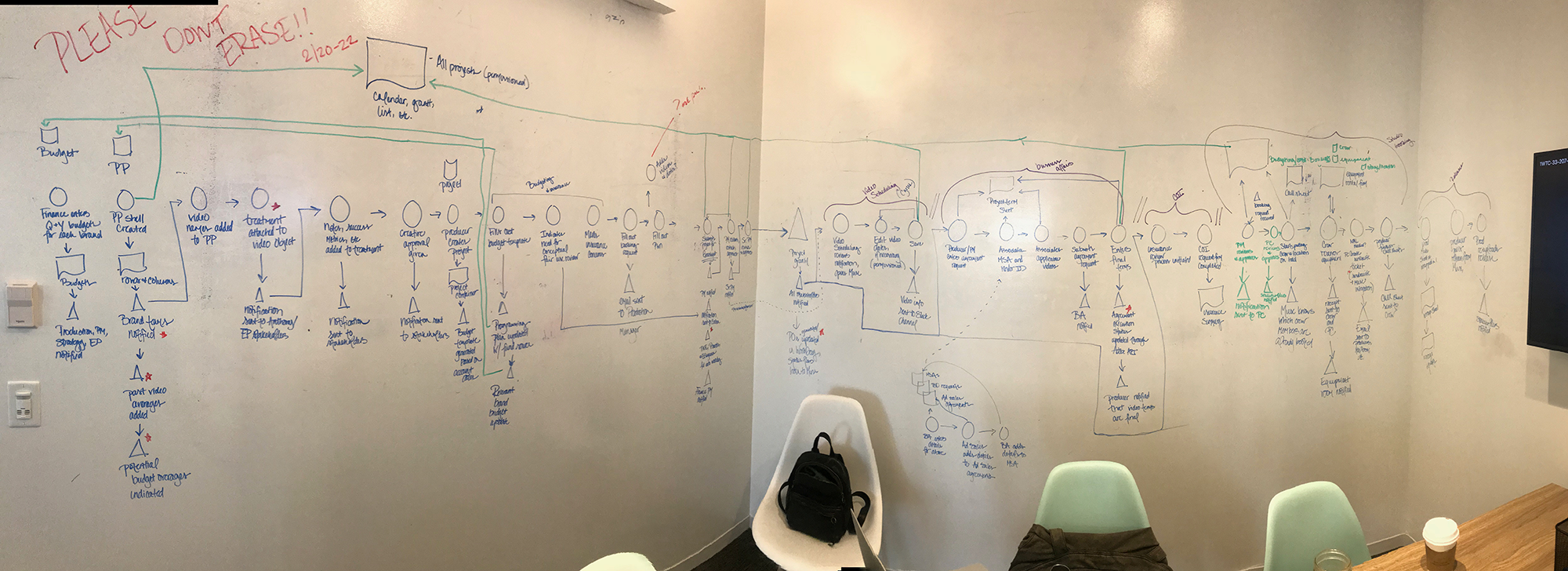
USER FEEDBACK
Using feedback collected from interviews, workshops, and meetings, we compiled a massive document tracing the entire lifecycle of a video (21 separate workflows to be exact!) We collected this colossal amount of information and reinterpreted the updated workflows as what we coined as “recipes.”
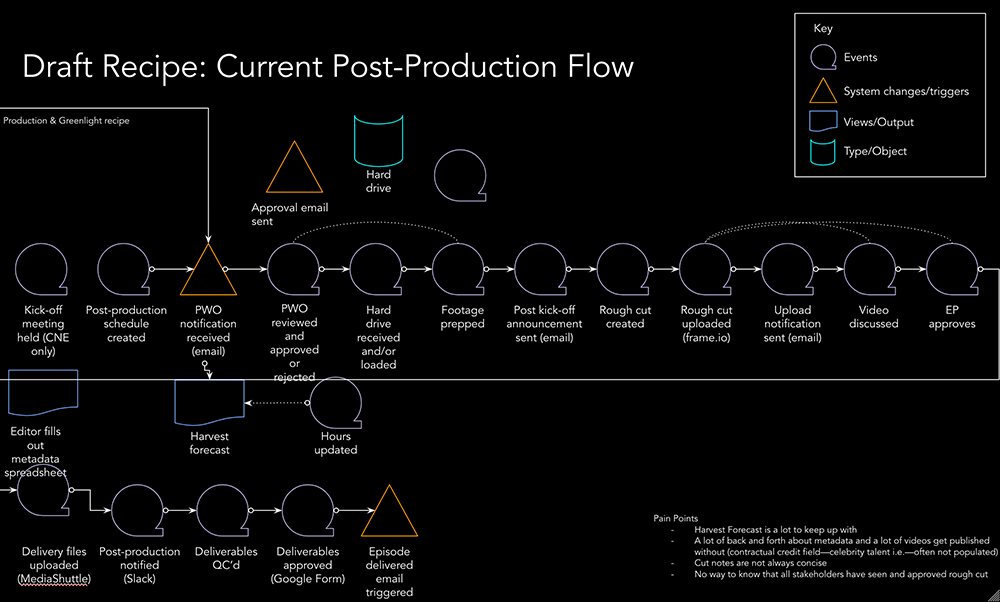
A recipe is an easily digestible and visual representation of an ideal workflow using symbols to represent the different steps taken as either an Action, Event, View, or Object. These allowed us to easily communicate a vast amount of complex information in individual workflows, in a way where the client could also help contribute to the process.
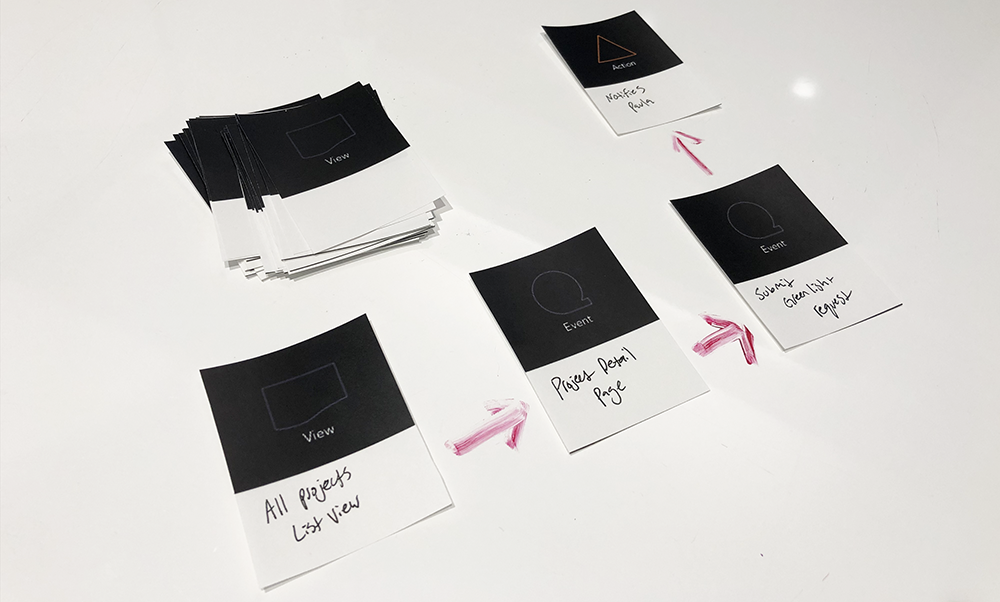
We even designed a deck of reusable cards that the client could physically arrange on the table and write on themselves during workshops. This enabled them to better organize their thoughts with tangible objects versus the digital versions we had been presenting.
We even designed a deck of reusable cards that the client could physically arrange on the table and write on themselves during workshops. This enabled them to better organize their thoughts with tangible objects versus the digital versions we had been presenting.
SO WHAT MAKES MUSE DIFFERENT FROM EVERY OTHER WORKFLOW MANAGEMENT SYSTEM OUT THERE?
Because we’re designing for creative workflows, making sure everything is customizable and configurable is a top priority. By allowing the client to completely customize the product with options like adding their own actions, configuring form types, adding permissioning, etc., we’ve created a fully extensible product that virtually any type of team could use, rigid or not. No current workflow management tools can currently accomodate for creative workflows with that level of customization. By designing with extensibility in mind, we’ve created a flexible workflow management tool that can fit everyone's needs exactly the way they want. We solved super specific problems with extensible solutions, allowing for the product to be implemented anyway for anyone.
✦✦✦✦✦✦✦✦✦✦✦
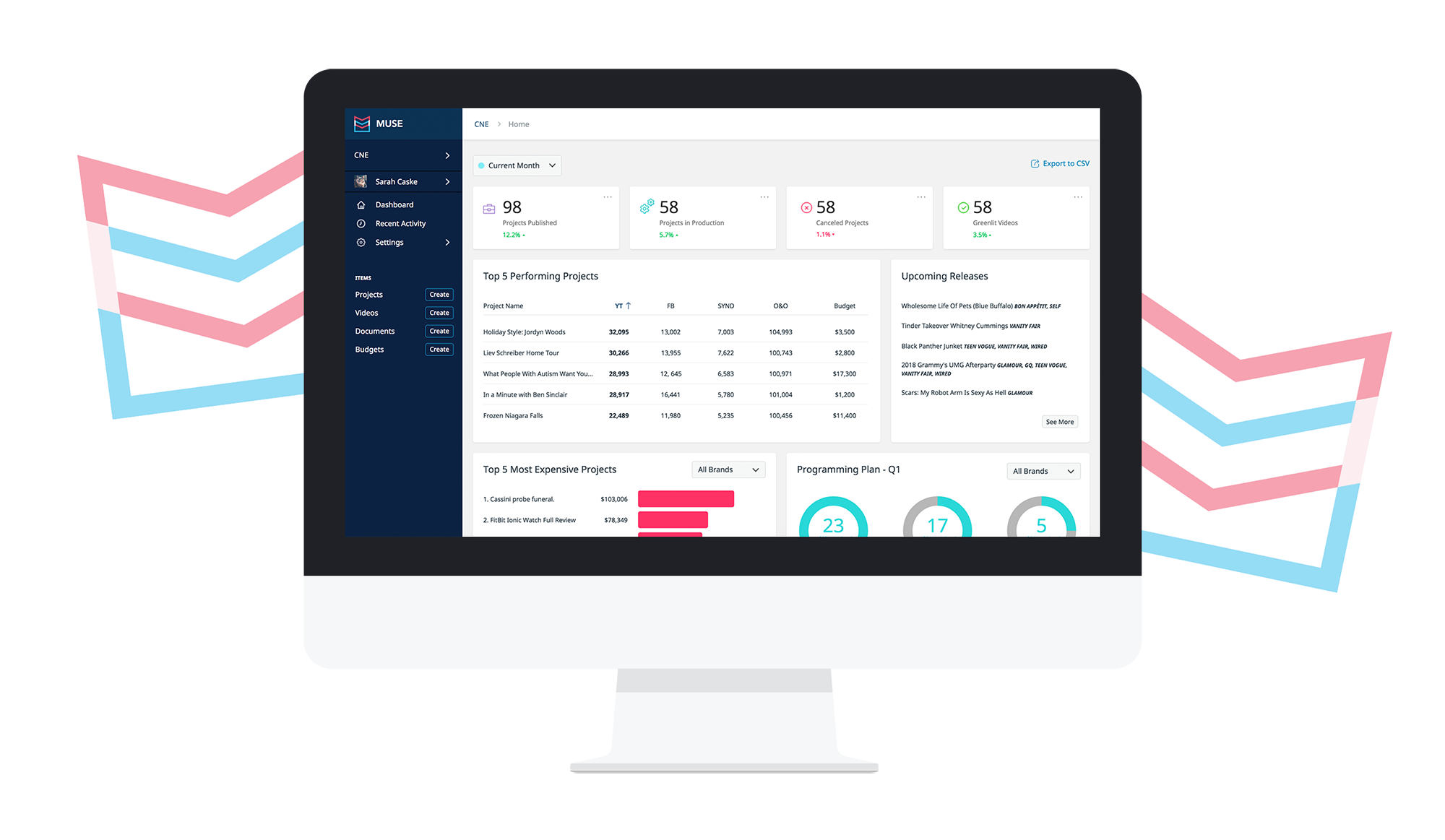
OVERVIEW & DASHBOARDS
As this tool is servicing such a wide variety of teams, there’s a lot of content to sift through and data to be found. One of the key elements for this tool was to display this data and analytics in a meaningful way so that anyone could click through to an item and know exactly what is going on. One of the main benefits of combining all of their tool sets into one was to have a single source of truth that provided quality insight on how each video is performing. Now the user has an accurate at a glance view and will know exactly what to do next.
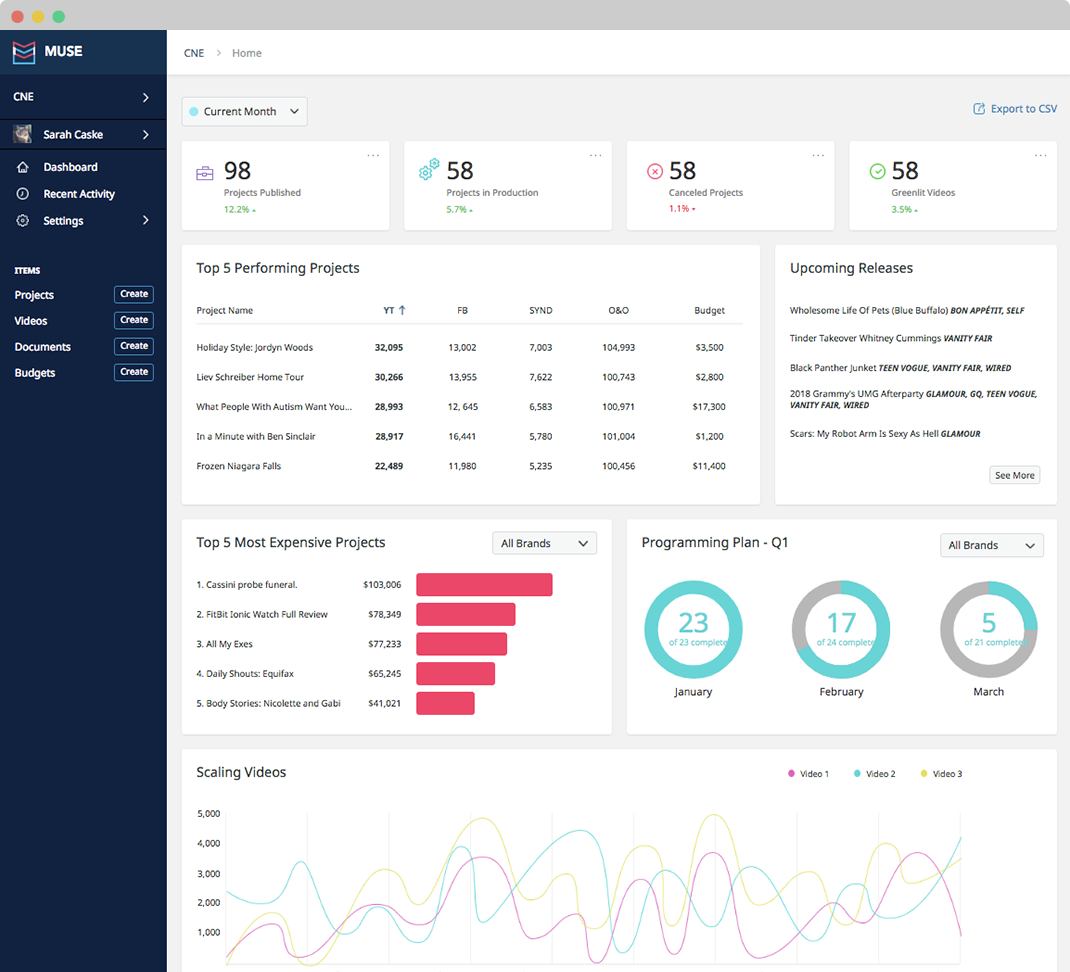
VIEWS
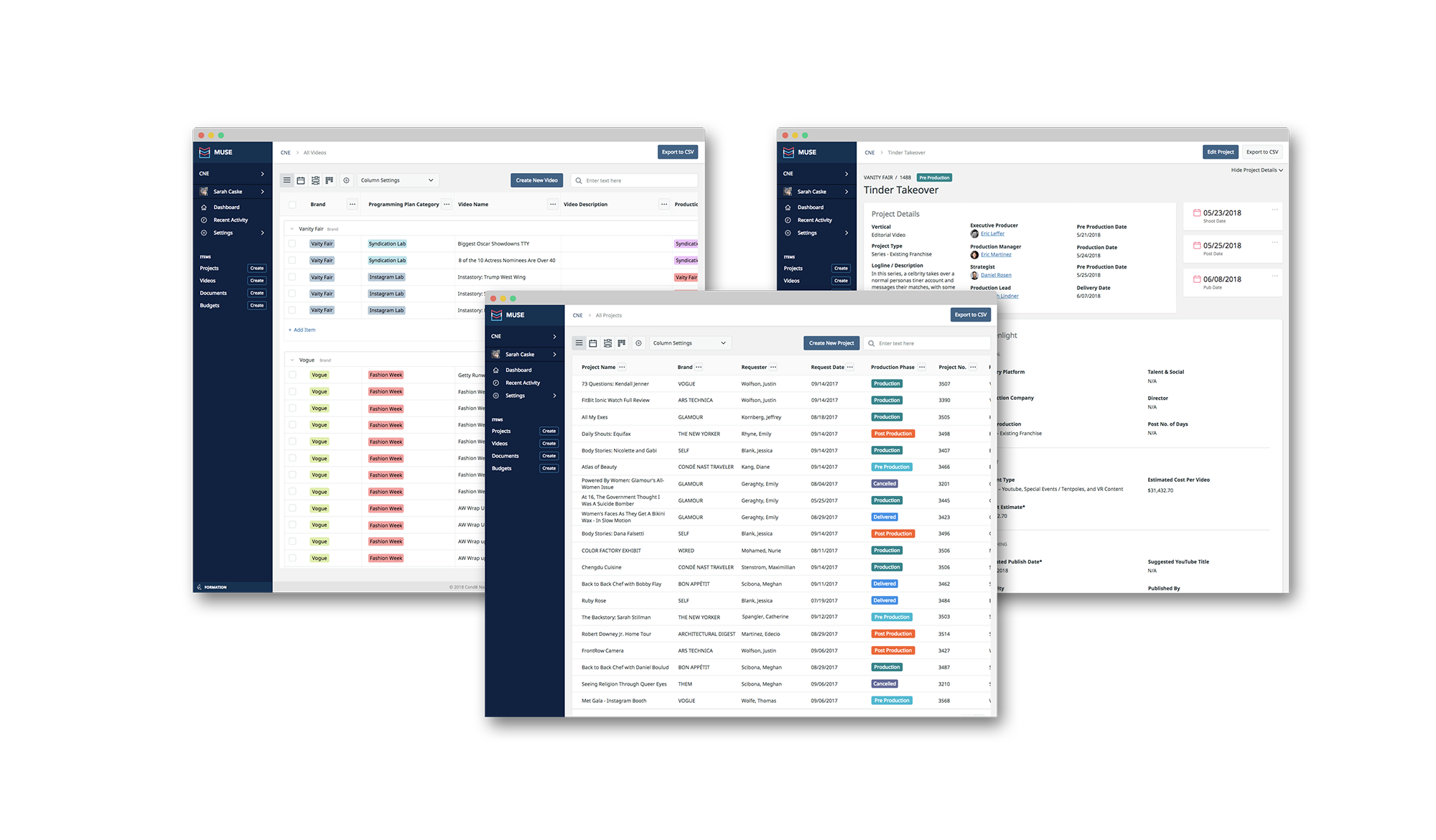
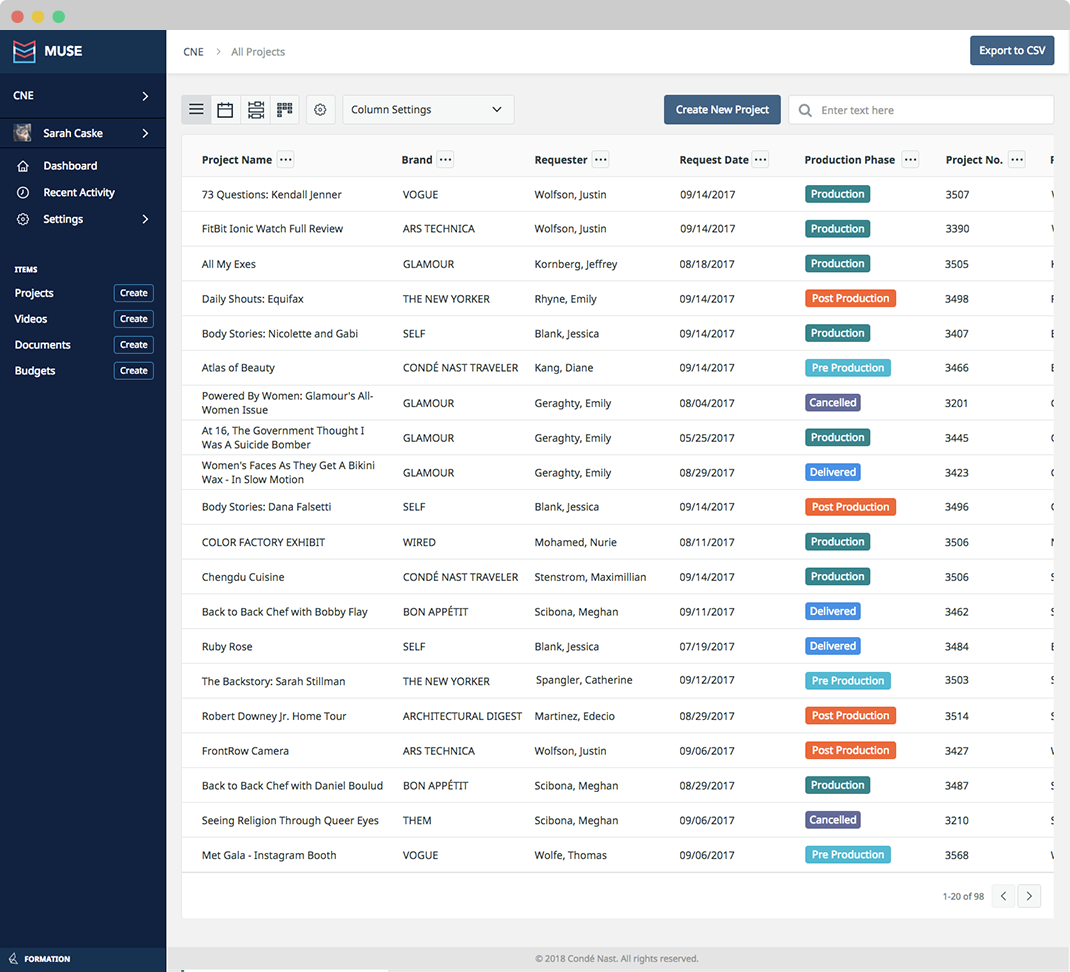
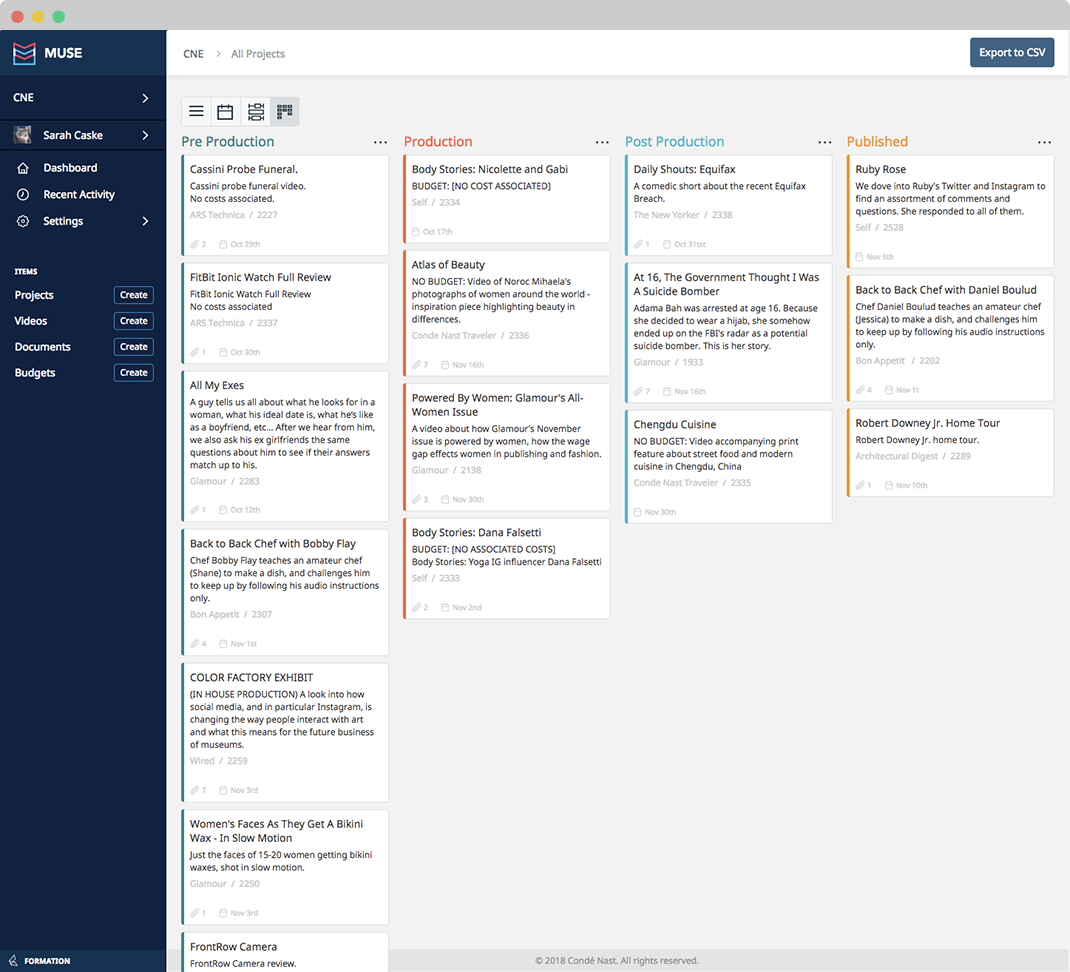
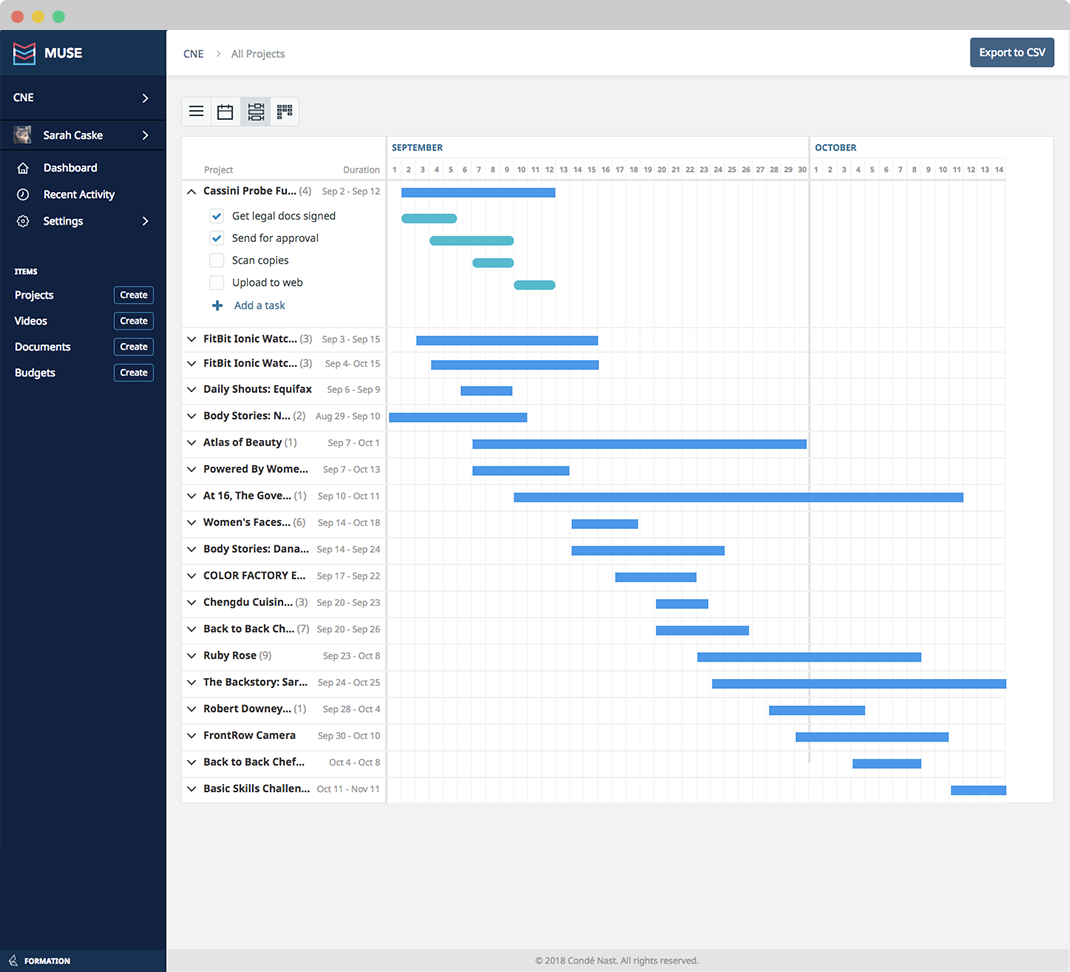
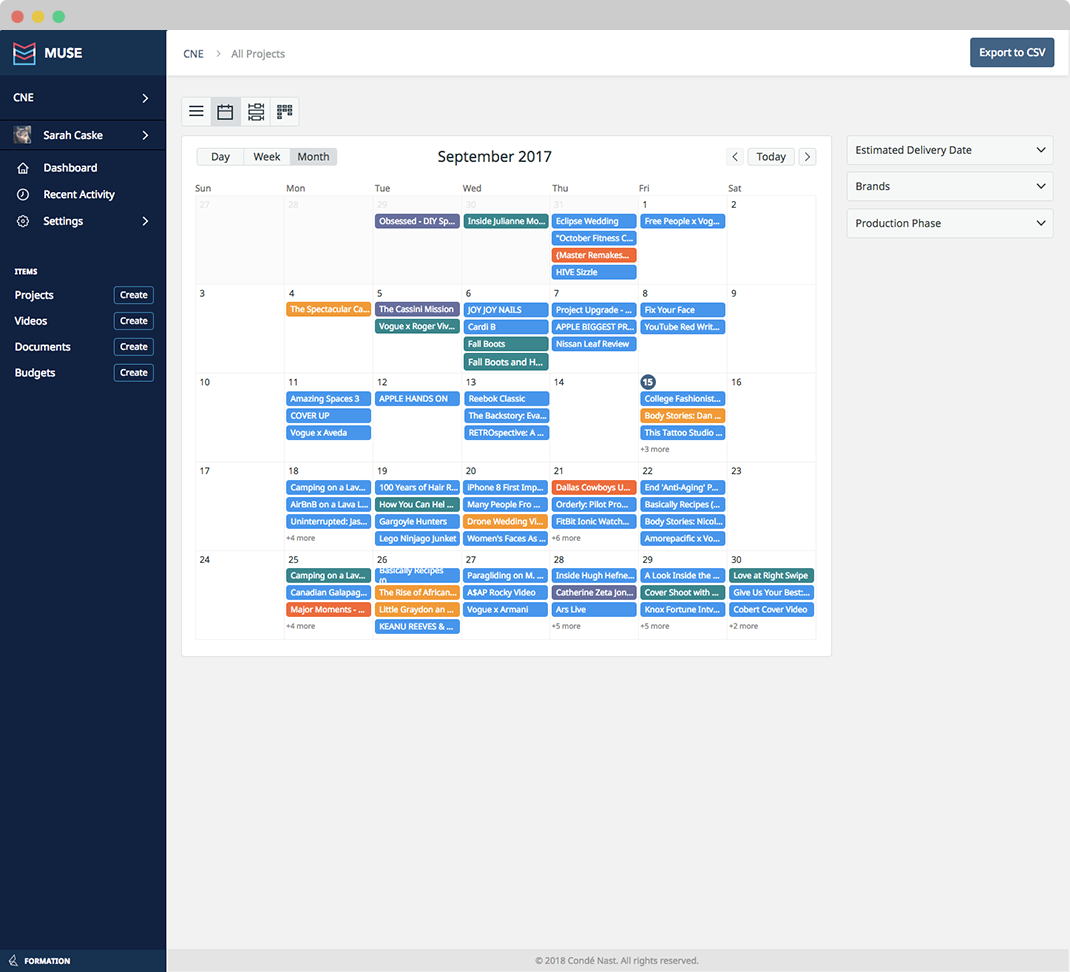
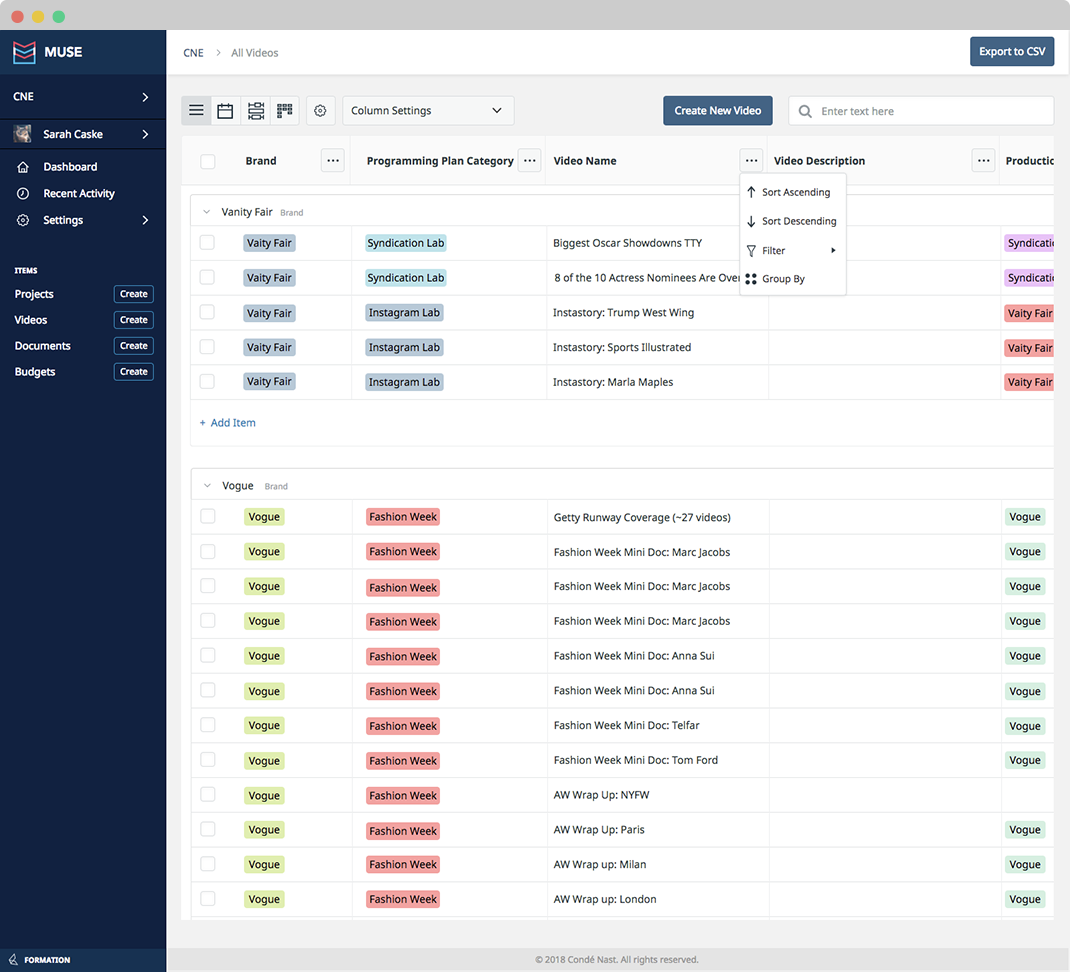
We understand that different users want to sort, filter, and view content in a lot of different ways depending on the role and personal preference. By designing alternate view types we give the user the ability to switch each items view by how they want to see that information. Our users can now view items as a list, calendar, kanban, or gantt chart.
SPREADSHEET COMPONENT
Spreadsheets might not sound sexy, but they are undeniably the heart of any business operation. Because of this, it was really important for us to master the spreadsheet component for this application as it would be a widely used and needed piece. We included features like nested grouping, advanced sorting, filtering, inline editing, bulk creating and editing, and more to ensure our users could make their spreadsheets as powerful as possible.
FORMS
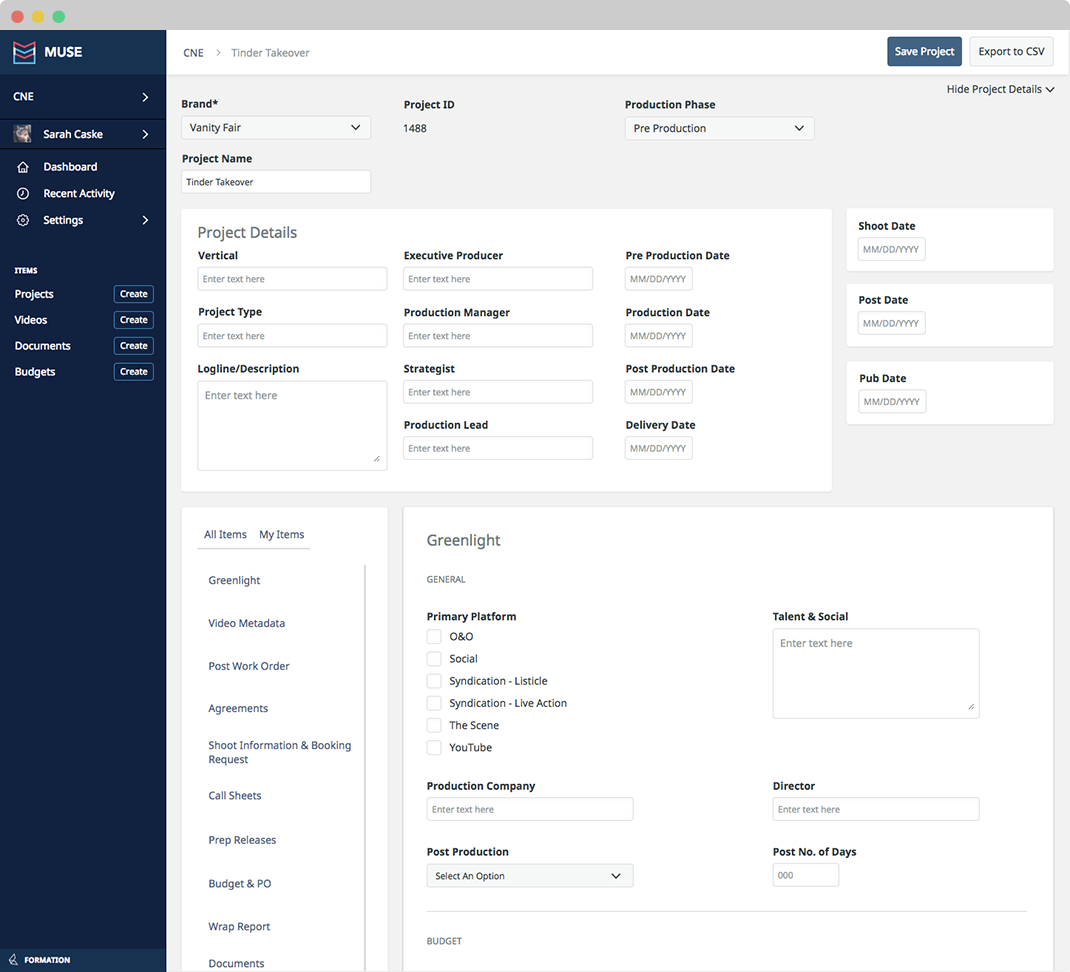
As a hefty part of their workflows were data input, one of our key success metrics became reducing duplicate entry by designing better forms and organizing their inputs in meaningful ways between the teams.
After doing an audit of every form in their current tools we found over 150 fields for a single project and were able to reduce that slightly to a few dozen less. Still a hefty load of fields, but by separating them out in manageable and meaningful sections each user is now able to go in and find exactly what they were looking for with the improved organization, increasing productivity.